


We don’t usually make noise about firmware updates because most of the time it’s bullet after bullet about bug fixes, minor UI tweaks, and things that nobody cares about.
But COROS’s June 2026 update dropped one feature that is genuinely useful for athletes doing structured training, and one feature that can just add some more battery life and less interruption to your life.
Let’s explore.
Heart Rate Recovery
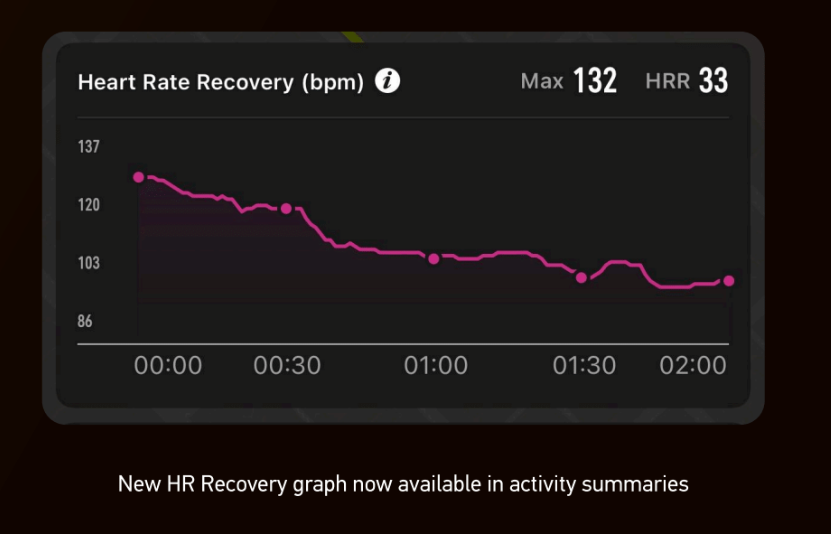
Heart Rate Recovery (HRR) has been a known fitness marker for a long time. And it’s one thing we love about the Amazfit line of smartwatches.
The concept is simple: how fast does your heart rate drop in the minutes immediately after hard effort? The faster it falls, the more efficiently your cardiovascular system is recovering, and over time, watching that recovery rate improve is one of the cleaner signals that your fitness is actually moving in the right direction.
COROS is now tracking this automatically. Two minutes after you complete an activity, your watch measures the drop in heart rate and logs it. Do a tempo run, cool down, check the number. Do it again in six weeks. See if it’s better. Useful!
If you’re running intervals, lets say, 6 × 1 mile at threshold, COROS now serves you a dedicated HR Recovery column in your lap table for every rest phase so again, you can see exactly how quickly you came back down between each rep, and whether that recovery window was consistent across the workout or fell apart in the back half.
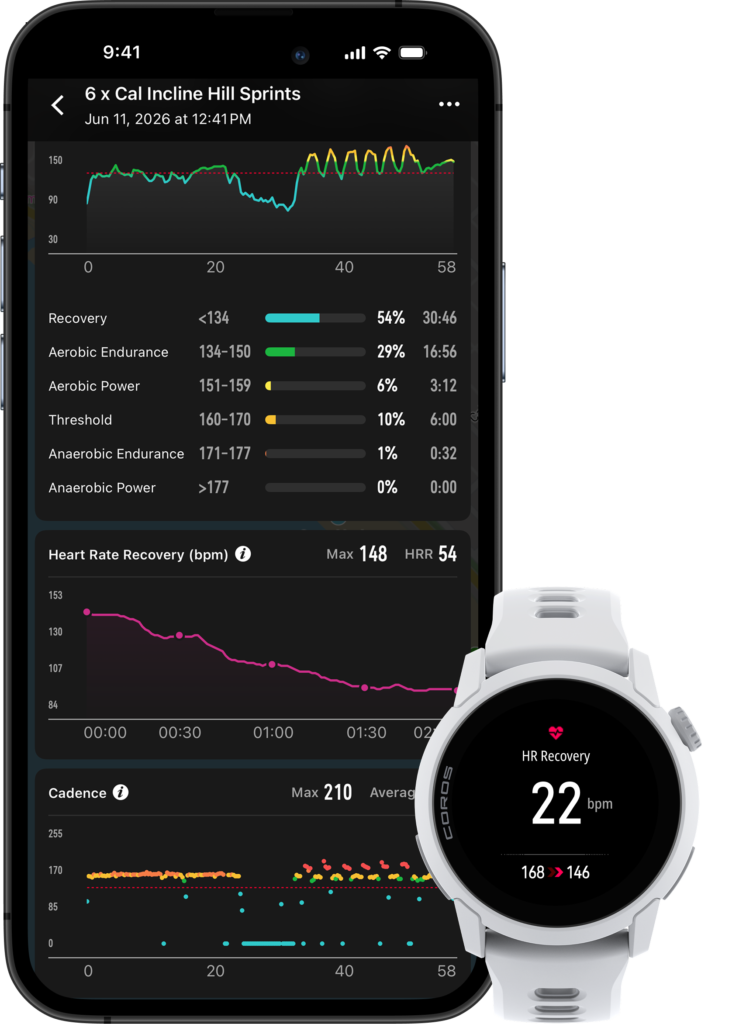
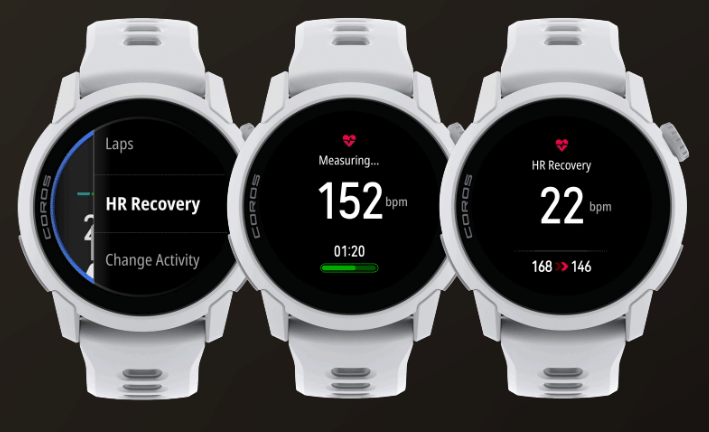
There’s also an on-demand measurement option.
Before you end your activity, you can manually trigger an HRR measurement from the dial menu, allowing you to get a quick read after your workout, more easily.
The long game here is the heart rate trend line, which admittedly looks really nice.
As athletes we obsess over pace, power, and HR during efforts and HRR flips that a bit and allows you to add recovery into the equation.
Airplane Mode
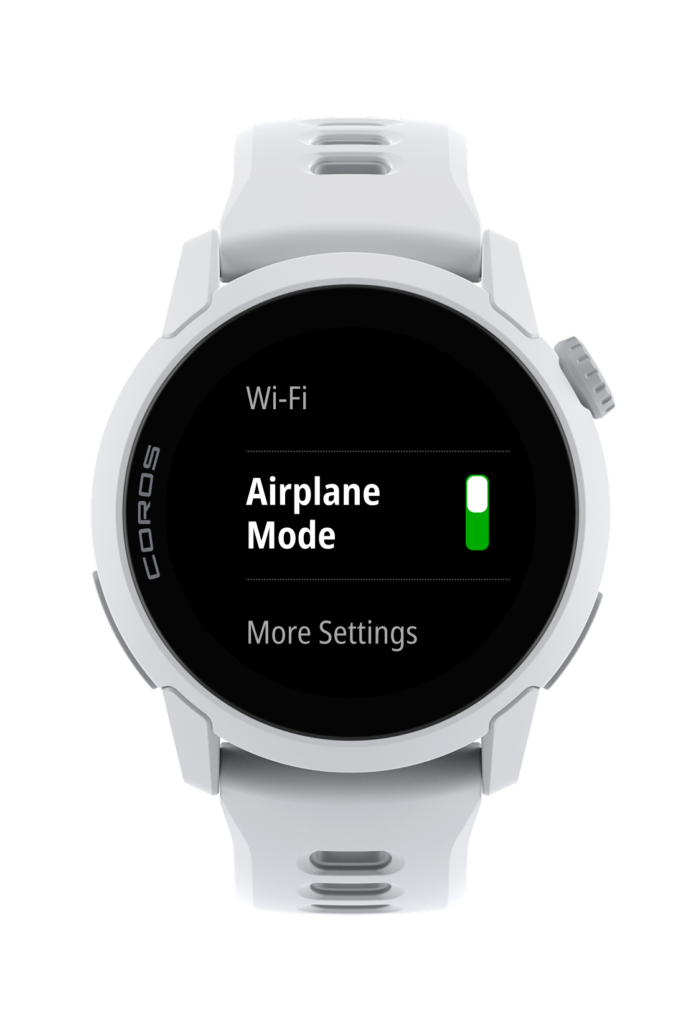
This one’s straightforward and long overdue but COROS watches now support Airplane Mode, accessible directly from the watch settings (Wi-Fi > Airplane Mode).
The upside here is that you can turn off all wireless connectivity and get more battery life on long efforts where you don’t need live syncing, notifications, or anything else. For ultramarathon runners, or Unbound XL participants, or anyone doing a 6-hour ride where you’re just logging data, this will save you from charging your watch more than you already should.
Everything Else in the June Update
The rest of the release is mostly climbing-focused with a few utility additions sprinkled in:
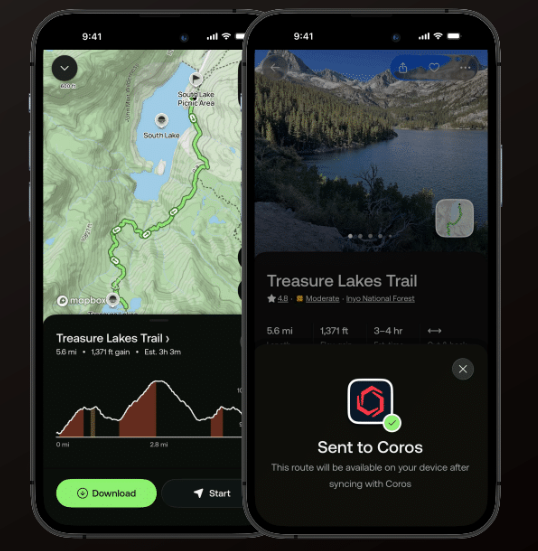
- AllTrails Sync — Sync AllTrails routes directly to your COROS watch for real-time navigation, with automatic upload of hikes and trail runs back to your AllTrails account.
- Climbing Route Detection — Download known climbing routes to your watch via the COROS app. During an Outdoor Climb, the watch auto-detects nearby routes and displays them by difficulty. Route details populate automatically and show up in your post-session summary. A community route submission platform is also in the works.
- New Outdoor Climb Features — A dedicated Rest Phase before climbing, customizable Back button shortcuts (including a Transition shortcut to switch between climb and rest phases), and the ability to crop activities if you forgot to stop recording before driving away.
- Bouldering: Auto Route Detection + Detailed Summary — Bouldering mode now tracks each route automatically without requiring manual logging mid-session. Enhanced grade distribution charts make it easier to analyze your climbing in the app afterward.
- Battery Health Dashboard — A new in-app dashboard showing battery health, usage trends by feature, and estimated daily/hourly life remaining. Access it via Profile > your watch > Battery Health.
- View Activity Details In-Progress — Open the COROS app mid-activity (after a pause) to see a live activity summary without stopping your session entirely.
- Auto Email Customization for Safety Alerts — Customize who gets notified during safety alert triggers.
Leave a Reply
You must be logged in to post a comment.