

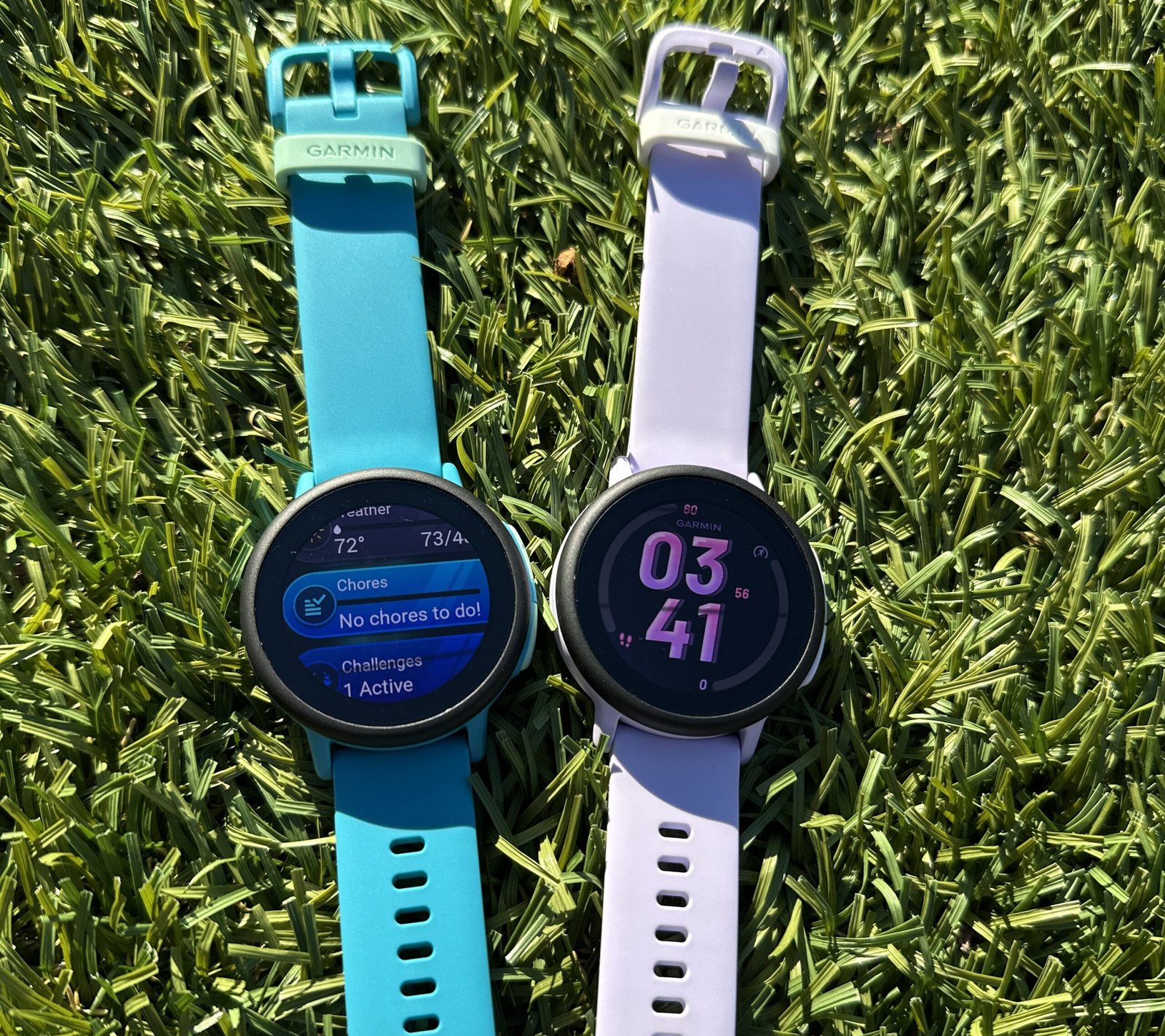
How do you let your kids roam free, but keep them safe? The latest Garmin kids smartwatch hopes to make everyone happy.
Raising kids means a new adventure—and worry—pretty much every day. Lately, there’s a fresh tension in our house: my kids are finally old enough to ride the neighborhood loop, pedal to the park, and beg to stay at a friend’s “just a little longer.” But they’re still nowhere near old—or responsible—enough to roam free.
My kids are eight and six. They want wings. We want them to be safe … and home for dinner on time.
I’m not handing over a smartphone and hoping for the best. We’ve all seen how that story ends.
So I jumped at the chance to test out Garmin’s new Bounce 2 smartwatch, hoping it strikes that Goldilocks sweet spot to give us enough freedom and them enough connection.
Is Bounce 2 up to this task?
Bounce 2 has all the right features for the job — geofencing, where you can set safe zones and get an alert when your child arrives or leaves — plus location information and just-enough communication, all wrapped in a watch that looks slick and feels lightweight on a kid’s wrist.
Over the last few weeks, we incorporated Bounce 2 into our lives exactly how I want a kids’ smartwatch to work: while on the bike or at friends, and only for short periods of time. (I don’t want them to wear a smartwatch all the time, like at school, where it becomes a distraction.)
The result? Peace of mind that includes alerts when they arrive at the playground; all those times when they ask to stay out longer — “Dad, can I stay at Wren’s another hour?” — without handing over a smartphone. If they wander through a no-go zone (the grocery store and TCBY are off-limits on solo rides), I know about it in real time. The best part is that they know I know. I’m not spying on them. We set the rules, they follow them. We’re all doing our part.
🔥 Here’s What’s Awesome
Geofencing that works like a parent LoJack. I set simple zones — playground, school, and friends’ houses. For each, I get a notification when the kids arrive or leave. It’s not creepy; it’s comforting. If they drift toward our agreed no-go zones, I get the heads-up and a decision to make (or discussion to have…again).
Tech Connection — without a Phone. The built-in speaker and mic (plus texting) lets them send a quick voice or text memo — “Can I go to the playground after school with my friends?” It scratches that ‘I need to reach you’ itch without opening Pandora’s smartphone box.
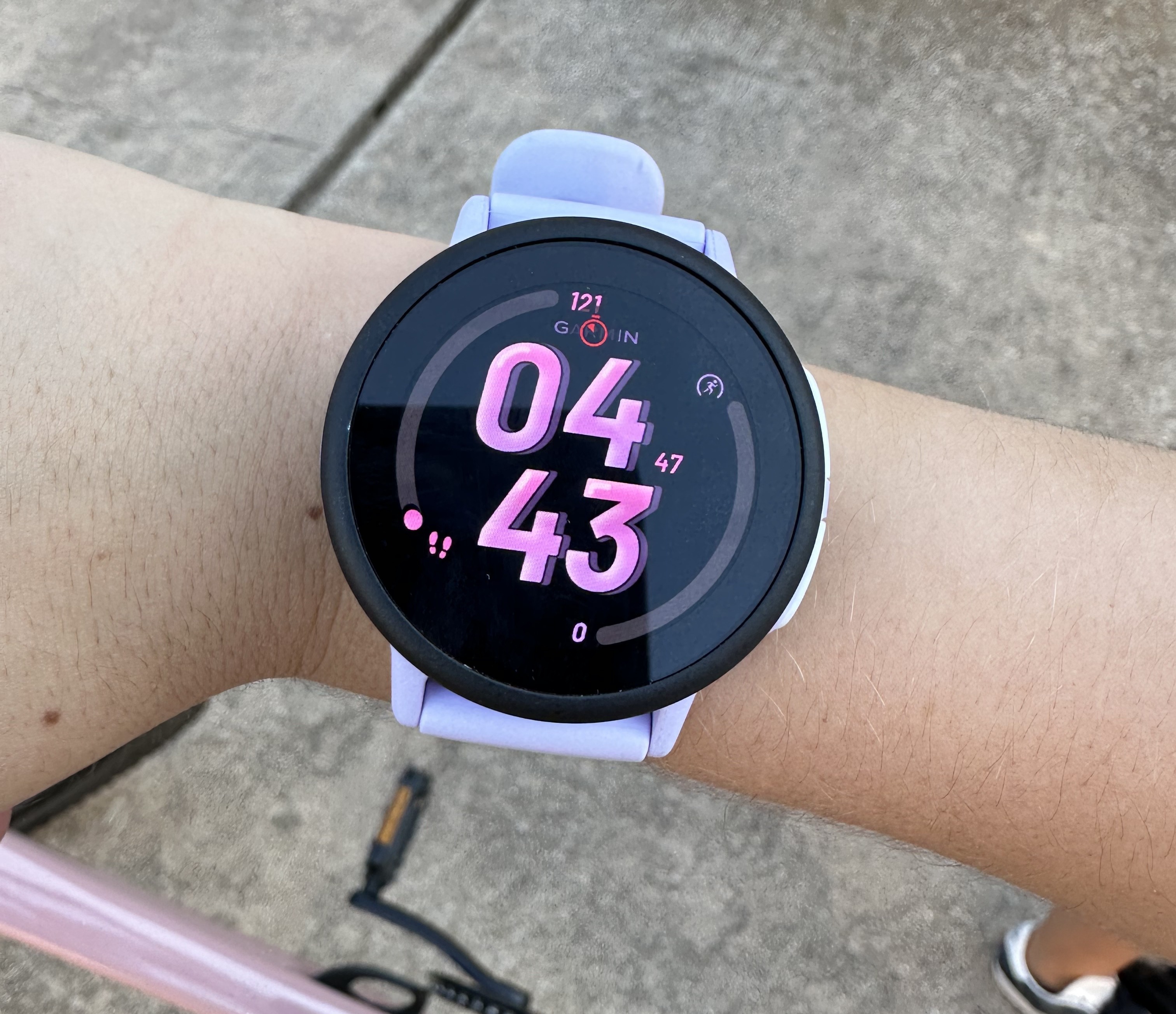
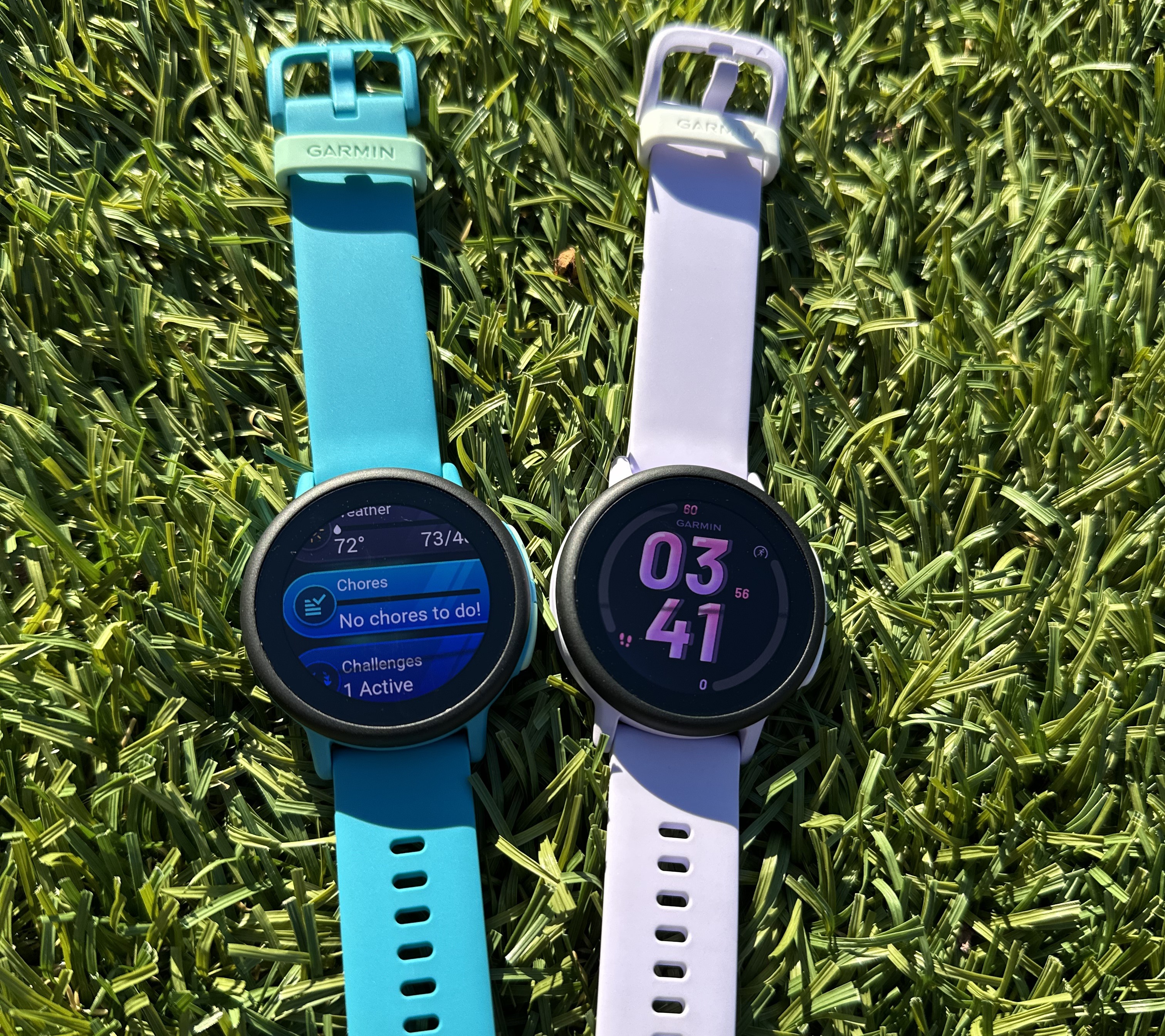
Feels Premium, Runs Snappy. The round screen isn’t just a design upgrade — it’s AMOLED, which basically means brighter colors, sharper text, and better visibility in sunlight. Translation: your kid can actually see it outside, and it doesn’t look like a toy. It’s light enough for small wrists, and the new touchscreen finally feels fast and modern. Compared to the original Bounce, the hardware jump is huge — like going from toddler to teen in one big leap.
😷 Here’s What Stinks
Battery life is just okay. I love my grown-up Garmin — it’s the undisputed smartwatch battery beast — so maybe my standards are high. (For context, Garmin’s adult watches — I wear the Fenix 6X series — can last 21 days on a single charge.) Still, Bounce 2’s claim of “about two days” on a single charge feels optimistic. In reality, with LTE turned on, voice notes, and location pings running, you’re looking at more like a day and a half, tops. For us, that’s fine — the watch goes on outings or bike rides, then lives in a drawer at home. But for older kids who wear it all day, every day, the charging routine could get annoying fast.
The price jump is real. The Bounce 2 is $299, and you’ll need $10/month for Garmin’s LTE plan to unlock calls, texts, and those boundary alerts. We all hate subscriptions. I understand the necessary evil, but I still don’t like them.
Real life with Bounce 2
Setting up the Garmin Bounce 2 is easy. Out of the box, I powered it up, downloaded the Garmin Jr. app, connected to WiFi, and followed the setup steps. With two kids, I grabbed two watches and created separate profiles inside one app. Each picked their profile emoji, and I added the only contacts they could reach—me and their mom.
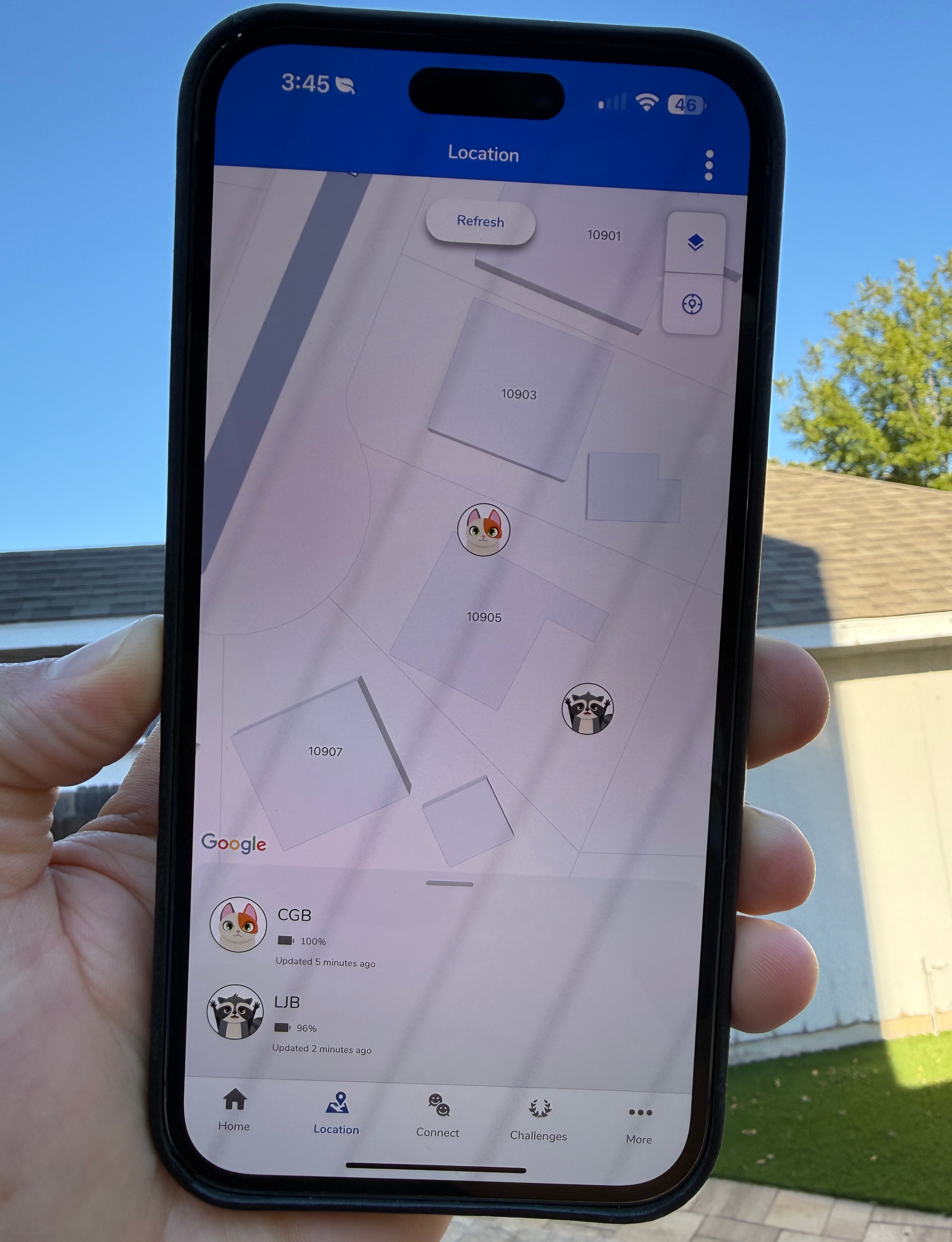
Once everything’s synced, I started thinking less about the tech and more about how it fits our family. Garmin gives you options like chore tracking and step counts, but for us, it was all about geofencing—building digital boundaries that mirror our real-world rules. Through the app, I drew a simple polygon around the grocery store and a rectangle around a small stretch of shops that they’re not allowed to visit solo. For the places they are allowed to roam—the playground, a friend’s house—I created friendly zones.
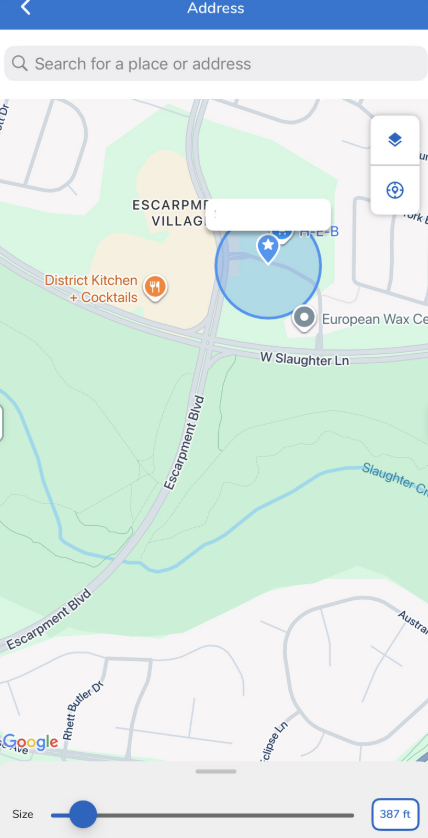
Now, when they roll into the playground, my phone lights up with a calm “arrived” notification. When they head home, I get a little message that they “left playground.” If the little dot starts drifting toward the grocery store, I can call or send a quick message of disapproval. That’s not helicopter parenting—it’s a quiet bike-bell reminder about boundaries.
Like I said before, we’re in no rush to hand our kids phones. The Bounce 2 fills that gap perfectly. It connects to my smartphone, so they can send a quick voice memo—“Can I stay?”—or a short text—“Got a flat.” I can respond immediately without opening the door to social apps or endless screen time.
For our family, that’s the sweet spot: freedom … with guardrails.
✅ Design: Check.
The design is another win. Garmin moved from a square face with the original Bounce to a round one and added a bright AMOLED display. It looks less like a toy and more like a “real” watch, while still being light and easy for a six-year-old to navigate. The touchscreen is responsive, and the built-in speaker and mic are strong enough that I can clearly hear them from a half-mile away.
My rule of thumb is simple—if tech slows a kid down, it ends up in a pocket. Bounce 2 clears that bar easily.
👎 Battery Life: Needs Work.
Where you’ll notice a trade-off is battery life. We manage it by treating the Bounce 2 like a tool, not a permanent wrist tattoo—on for rides and exploring, off at home. That rhythm works fine for us, but for families who want all-day wear, the roughly day-and-a-half battery can feel short. LTE use drains it faster, too.
🫤 Cost: Subscription Fatigue.
Then there’s the cost. There’s no avoiding it—the Bounce 2 isn’t cheap. At $299 plus a $10/monthly LTE subscription, it adds up, especially if you’re buying for siblings. Still, compared to purchasing smartphones and managing data plans, screen time, and content battles, this feels like a cleaner, calmer on-ramp to independence.
The Bounce 2 isn’t perfect, but it’s doing exactly what I hoped: giving my kids a little more freedom—and giving me just enough peace of mind to let them ride off down the block.
What to Know
Bounce 2: $299.99; LTE plan: $9.99/mo through Garmin.
Core features: LTE calling, messaging, real-time location in Garmin Jr. app, parent geofences/alerts, new round AMOLED display with speaker/mic.
Battery: Roughly 1.5–2 days in light/moderate use; LTE and music will shorten it.
Colors: Slate Gray, Light Blue, and Turquoise
Verdict: A Smart Compromise for Modern Parents
Is it perfect? No. But Garmin Stans will have no problem shelling out $299 for a great kids watch.
It is reliable and stylish enough to grow into, and does everything it says it will.
If you’re a parent who wants to give your kids a radius—and a runway—without handing them a smartphone, the Garmin Bounce 2 is the best middle ground I’ve tried yet.
Geofencing and real-time location tracking do exactly what you want. Voice/text messaging keeps the check-ins simple and the hardware feels “grown up” and premium enough for daily use.
If cost or battery worry you, here are some alternatives that may suffice, even if they don’t look as good as the Bounce 2.
Pinwheel – Like Bounce 2, this has GPS tracking, calling, texting — but also adds parent-monitored voice-to-text AI chat (the only kids’ watch to offer this). Parents can control and remotely monitor everything from the seperate caregiver app on their own phones, including screen limits and message history. There is an option to download games (NOPE!) but the the point is to get outside and play. ($100 off from now till December 15th with a $43/month quarterly subscription.)
TickTalk 4 — Often slightly cheaper, these are LTE-enabled kids and include voice/text and location features. Reviews highlight battery life tends to hold between 2–3 days in moderate use.
Xplora XGO 4 — Super budget-friendly option with GPS tracking and basic calling/messaging. Suffers from being way less premium and is this a brand you can really trust?
Apple Watch SE (paired with Family Setup) — For families already in the iOS ecosystem, the SE just makes sense and its cheaper. The battery life is similar to adult Apple watches and you may get more long-term value if you upgrade devices over time.
Cost aside. If you’re not bought into any one ecosystem, I’ll still put my money on Bounce 2.
With that beautiful display, easy to use interface and Garmin Jr. app that is fool proof, this device can grow with your kids over multiple years.
For us: If that means an extra half-hour of independence before dinner, I’ll take it, and so will they.
***
*Note: This review was not paid for by Garmin. All thoughts, comments, and writing are my own and real. Because, f*ck AI.
Leave a Reply
You must be logged in to post a comment.